
1. Board Overview
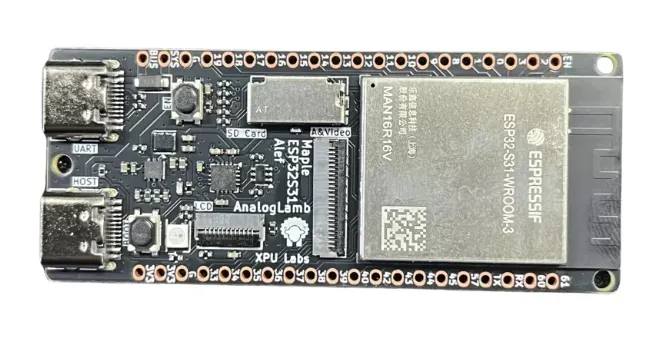
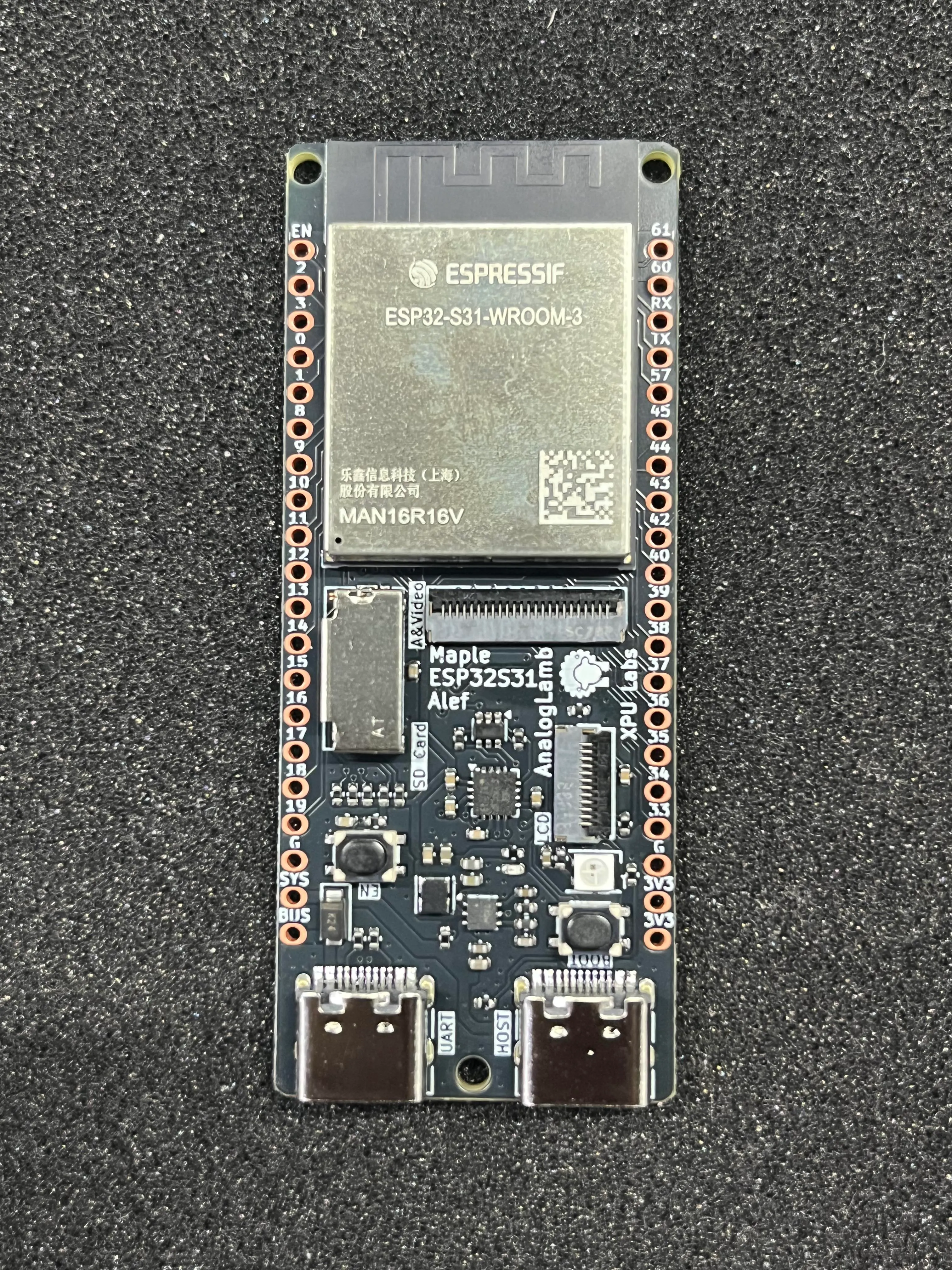
The Maple ESP32‑S31 Alef Development Board is designed by XPU Labs. It is a high‑performance entry‑level board for IoT enthusiasts, makers and embedded‑system beginners. Equipped with the latest ESP32‑S31 chip and abundant peripherals, it enables zero‑threshold development for wireless communication and smart‑hardware projects.
🔥 Key Highlights
-
Dual‑core RISC‑V @ 320 MHz: Powered by the Espressif ESP32‑S31 chip, featuring a 32‑bit dual‑core RISC‑V processor clocked at up to 320 MHz. It delivers robust performance to handle complex tasks effortlessly.
-
Generous Memory: 512 KB SRAM + 16 MB PSRAM + 16 MB Flash, capable of running large‑scale programs, image buffering and audio processing with ease.
-
Wi‑Fi 6 + Bluetooth 5.4 + Zigbee/Thread: Supports concurrent operation of the latest 2.4 GHz Wi‑Fi 6 (802.11ax), Bluetooth 5.4 LE/Classic, Zigbee and Thread protocols, covering full‑scale scenarios for smart home and industrial connectivity.
-
ULP‑RISC‑V Co‑processor: Processes sensor data even in ultra‑low‑power standby mode, ideal for battery‑powered projects.
📦 Rich Peripherals, Plug‑and‑Play
| Interface / Feature | Description |
|---|---|
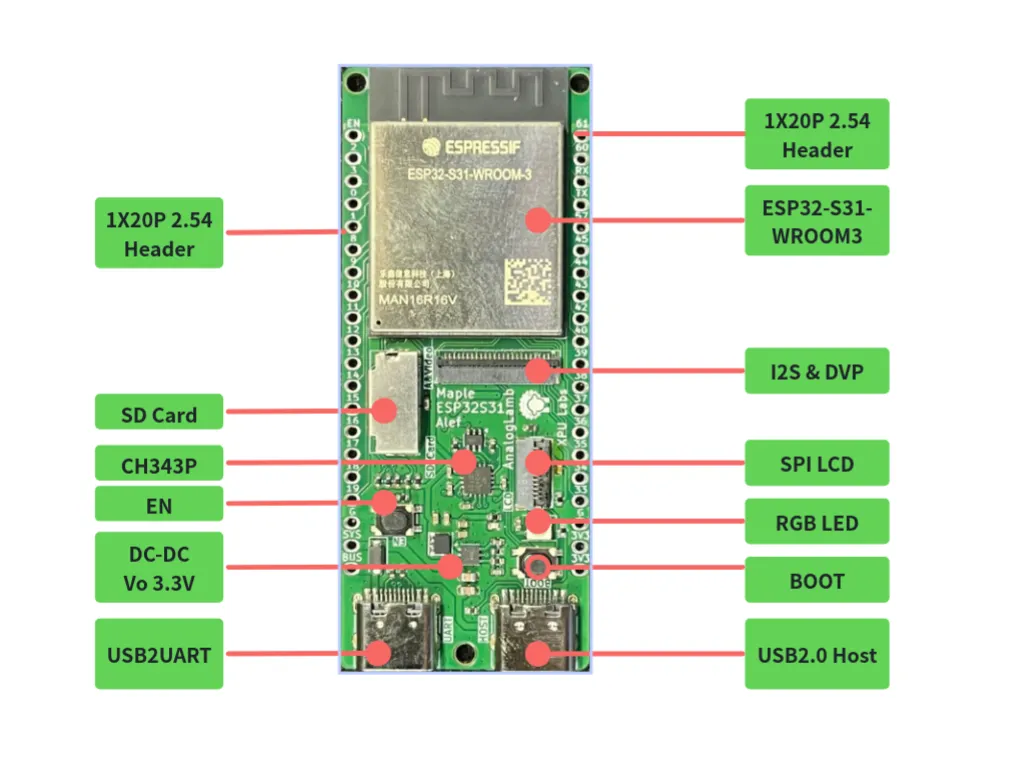
| USB 2.0 Host ×1 | Directly connect mice, keyboards and USB flash drives for expanded possibilities |
| SPI LCD Interface | Drives TFT colour displays for dashboards and game UIs |
| I2C / I2S / DVP | For sensors, audio modules and cameras (e.g. OV2640) |
| SD Card Slot (SDIO Bus) | High‑capacity storage for logs and media files |
| CH343P USB‑UART | Auto‑download circuitry; one‑cable Type‑C flashing with no manual reset required |
| Single‑wire RGB LED | Status indication and ambient lighting, developer‑friendly for programming |
| EN + BOOT Buttons | One‑click operations for debugging and firmware upgrades |
| 1×20‑Pin Header ×2 | All GPIOs broken out; compatible with breadboards and expansion shields |
2. Chip Features
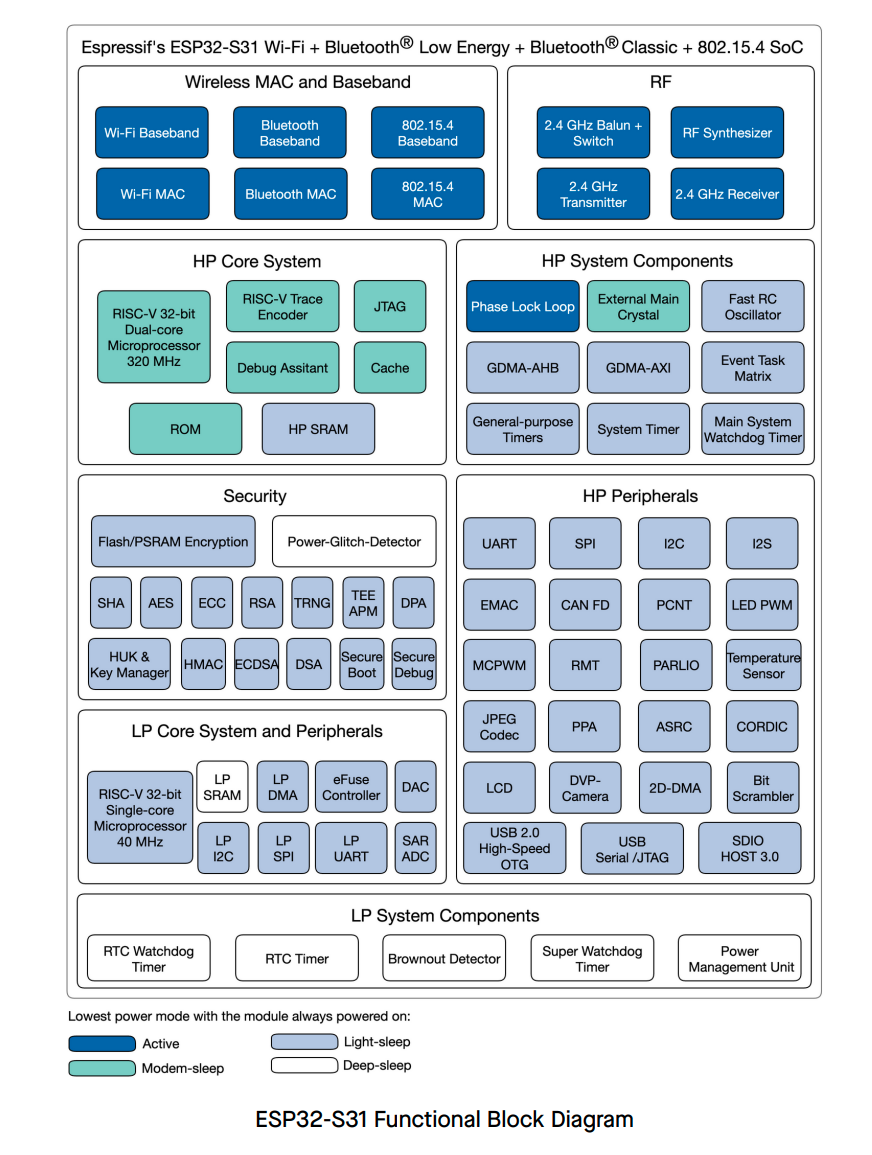
The ESP32‑S31 is a high‑performance dual‑core 32‑bit RISC‑V microcontroller with a maximum clock frequency of 320 MHz. Optimized for full multi‑protocol connectivity, it is designed for advanced Internet of Things (IoT) applications requiring comprehensive connectivity and rich human‑machine interfaces. The chip provides 60 GPIOs, delivering outstanding flexibility for complex designs supporting multiple wireless protocols, various display interfaces and diverse peripherals simultaneously. The ESP32‑S31 is particularly suitable for edge‑side AI and machine‑learning workloads, including neural‑network inference, advanced signal processing, computer vision and intelligent audio applications, while retaining the high‑efficiency characteristics of embedded platforms.
3. Board Specifications
-
Adopts the ESP32‑S31‑WROOM3 module: Integrates the ESP32‑S31 chip, a 32‑bit dual‑core RISC‑V microprocessor supporting clock frequencies up to 320 MHz
-
Equipped with a ULP‑RISC‑V co‑processor, 320 KB ROM, 512 KB shared SRAM, 16 MB PSRAM and 16 MB Flash
-
Supports multiple wireless protocols including 2.4 GHz Wi‑Fi 6, Bluetooth® 5.4 (LE), Bluetooth® Classic, Zigbee and Thread (802.15.4)
-
CH343P USB‑to‑UART chip with auto‑download circuitry
-
1 × USB 2.0 Host interface
-
I2C, I2S & DVP interfaces for expanding audio and camera modules
-
SPI LCD interface for connecting TFT LCD displays
-
1 × single‑wire full‑color RGB LED
-
SD‑card interface via SDIO bus
-
EN & BOOT buttons for convenient debugging
-
1×20‑pin headers on both sides for great expandability
-
Board dimensions: 67 × 28 mm